
Workshops and tool rooms
Asset tags for Workshops & Tool Rooms
Give every tool a scannable QR tag. Import your tool list from a spreadsheet, print the tags in a batch, and reprint a single tag when one wears out. Anyone can read a QR code with a phone camera, and you can scan with the Cloudlabels iOS app as well.
7 days free · No credit card
The list and the tag must match
Your tool list lives in Excel, but nothing on the shelf links back to it. In Cloudlabels the tag is printed from that list, so the ID on the tool matches the row in the register.
Tags workshops print
Tool and equipment tags
A short ID and a QR code or barcode on hand tools and fixed machines.
Storage bin labels
Mark bins, drawers and racks with codes that match your list.
Dates and notes on the tag
Print a next-due date, an inspection note or a short line of fixed text next to the ID. Cloudlabels prints the text you supply. It is not a calibration or safety management system.
How it works
Import the tool list
Bring in tool IDs, names and locations from Excel or CSV, or type them in the item table. Keep tools in their own item sheet if you also track stock.
Design one tag
Put a short ID in text and in a QR code or Code 128. Compact layouts fit small tools.
Print and reprint
Print the full set, then print a single replacement tag when one gets damaged. On a partly used sheet, choose Start from position in Generate PDF.
From a row to a label
| Serial | Brand |
|---|---|
| VW-A-0057 | Voltwright |

More labels made the same way
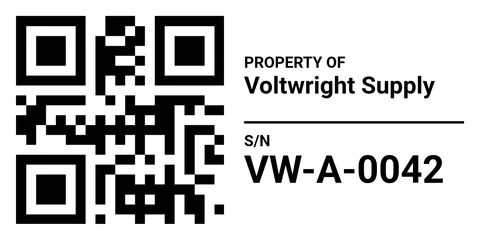
Asset Tag · 60 × 30 mm · QR
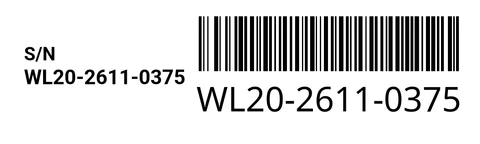
Serial Number Label · 50 × 15 mm · Code 128
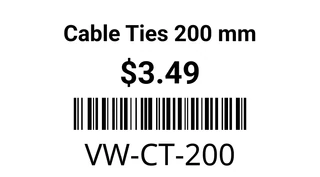
Name & Price · 38 × 21 mm · Code 128


Cloudlabels for tool rooms
- A separate tool sheetKeep tools apart from stock, with their own columns.
- QR codes and barcodesA QR code is easy to read with a phone camera. Code 128 works with handheld scanners. You can put both on the same tag.
- Small tags on sheetsPrint compact tags on Avery or HERMA sheets, or on a label printer roll. Custom sizes are included on Pro and Business.
- Fixed textAdd a line such as Property of your workshop next to the fields from the list.
- Scan with the iOS appScan the tags you printed with the Cloudlabels iOS app.
- Print quality600 DPI PDF on Pro and Business. The Free plan exports at 300 DPI with a small watermark.
Questions
Still unsure? Contact us
Why use QR labels in a workshop or tool room?
A QR code can hold the tool ID, or a URL to a manual or a record in another system. Phone cameras can read QR codes. Cloudlabels prints the value you put in the column.
Do people need an app to scan the labels?
A standard QR code can be read with a phone camera. If the code holds a URL, the phone can open it. If it holds only an ID, the camera shows that value. You can also scan labels with the Cloudlabels iOS app.
Can I import my tool list from Excel or CSV?
Yes. Import the file, link the columns to the tag, and each row becomes one label. Update the list and reprint when tools move.
What label sizes work for tools and small equipment?
Use compact layouts on Avery or HERMA sheets, or a small roll label. On Pro and Business you can set your own size. Keep the ID short if the tag is very small.
Can Cloudlabels track who borrowed a tool?
Cloudlabels prints the tag from your item table. You can add columns such as holder or due date and print them on the tag. Checkout itself happens in your table or in another system.
Can I reprint a single damaged tag?
Yes. Select that tool and print just its label. On a partly used sheet, choose Start from position in Generate PDF.
Is there a free plan for small shops?
The Free plan includes 20 items and 200 labels per month, with a small watermark. Pro gives you up to 25,000 items and unlimited labels, and Business up to 250,000 items and up to 10 team members. Pro and Business both start with a 7-day trial, no credit card.
What happens when the Pro trial ends?
The trial gives you Pro for 7 days with no credit card. When the trial ends, add a payment method to keep using Pro.
Tag the tool room from your list
GS1® and EAN are registered trademarks of GS1 AISBL. Avery, HERMA, Excel, Google Sheets, iOS, Windows and other names are trademarks of their respective owners. They are used only to identify standards, products and compatible formats. Cloudlabels is not affiliated with, endorsed by or certified by GS1 or any other company named on this page.