Warehouses and distribution
Location labels for Warehouses & Distribution
Replace handwritten bin labels with printed, scannable ones. Import your locations from a spreadsheet and batch-print labels for shelves, racks, bins and pallets. Several people can print from the same layouts in the browser, with nothing to install on each PC.
7 days free · No credit card
Labels people can read and scanners can read
When bins are labeled by hand, labels that are hard to read can lead to mispicks. Cloudlabels prints a large location code and a scannable barcode from one list, so the whole zone looks the same. Several people can use the same layouts in the browser, or send jobs with Print Station on a Windows PC.
Labels for the floor
Bin and shelf location labels
A large readable location code plus a barcode, printed for a whole zone at once.
Rack and aisle labels
Aisle, rack and level codes that match your spreadsheet or WMS export.
Pallet and receiving labels
Pallet IDs, inbound batches and case labels from the same kind of import. See pallet labels and shipping labels for those layouts.
SKU and case labels
Product and case labels with Code 128 or EAN-13 for handheld scanners, printed from the same catalog as your location labels.
How it works
Import your location grid
Export locations from your WMS or build the grid in a spreadsheet, then import the Excel or CSV file. Each row becomes one label.
Design one location template
Put the location code in large type and add a Code 128 or DataMatrix for scanners.
Print the zone
Select the rows for a zone or the whole site and export one PDF. Reprint a single damaged label from that row.
From a row to a label
| Ship to | Consignment | Gross weight | SSCC | Ship-to country + postcode (421) |
|---|---|---|---|---|
| Brindle Hill Larder | QT-55120 | 18.4 kg | 095212340000001027 | 826EX11AA |

More labels made the same way
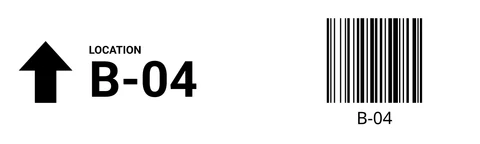
Rack Label · 100 × 30 mm · Code 128
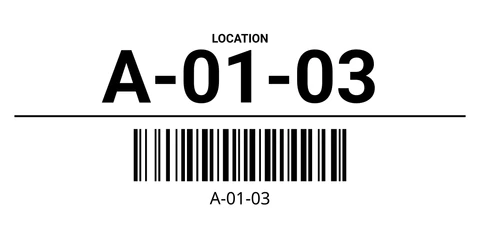
Bin Label · 100 × 50 mm · Code 128
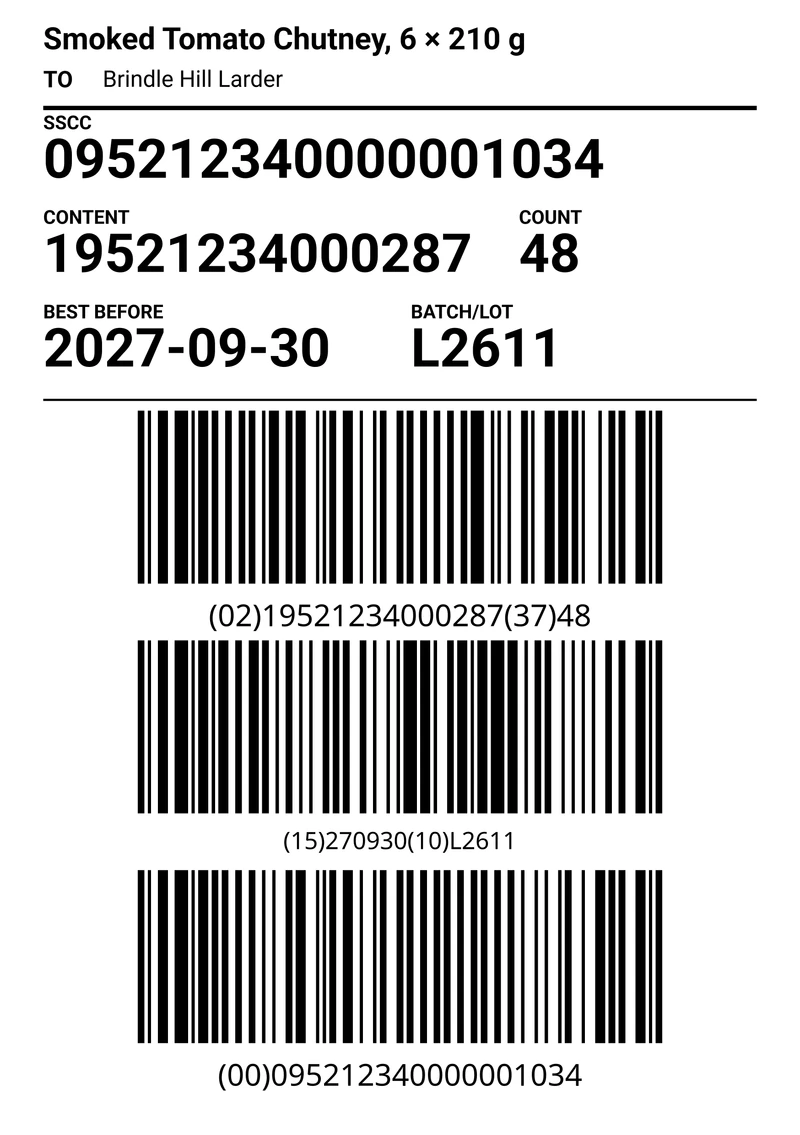
GS1 Pallet Label A5 · 148 × 210 mm · GS1-128 with SSCC
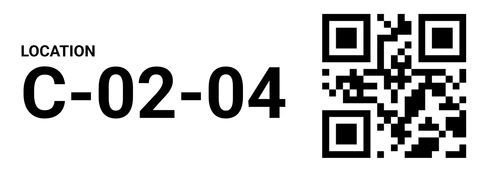
Shelf Location Strip · 70 × 25 mm · QR


Cloudlabels for warehouse teams
- Large readable textLocation codes in type that is easy to read on the rack.
- Codes for handheld scannersCode 128, Code 39, DataMatrix or a QR code, linked to the location column.
- Avery and HERMA sheetsPrint a zone on standard sheets, or use a label printer roll. Custom sheet sizes are included on Pro and Business.
- Print StationSend jobs to a label printer on a Windows PC on the floor, without the browser print dialog.
- Count with the iOS appCount stock by scanning the labels you printed, with the Cloudlabels iOS app.
- Print quality600 DPI PDF on Pro and Business. The Free plan exports at 300 DPI with a small watermark.
Questions
Still unsure? Contact us
Can I replace handwritten bin labels with printed, scannable labels?
Yes. Design the location label once, link it to your spreadsheet or CSV, and print consistent labels with a barcode and readable text.
How do I import warehouse data from Excel or CSV?
Upload the file and match its columns to text and barcode fields. Each row becomes a label, so you can print a full location grid or a smaller batch.
Which barcode formats work well in warehouses?
Code 128 is common for location and SKU codes that mix letters and digits. DataMatrix or QR codes fit when the label is small. EAN-13 and UPC are there for product and case labels. Cloudlabels has eleven barcode types plus QR codes.
Can I print pallet labels as well?
Yes. Use an SSCC in a GS1-128 barcode or your own pallet ID in Code 128, with large readable text. See pallet labels for layouts on A4, A5 and 4×6 inch.
Does Cloudlabels support Avery and HERMA label sheets?
Yes. Choose a sheet from the list, or set your own size on Pro and Business.
Do we need to install software on every warehouse PC?
No. Cloudlabels runs in the browser. For a label printer on a Windows PC, Print Station can send the job without the browser print dialog.
Is there a free plan for smaller warehouses?
The Free plan includes 20 items and 200 labels per month, with a small watermark. Pro gives you up to 25,000 items and unlimited labels, and Business up to 250,000 items and up to 10 team members. Pro and Business both start with a 7-day trial, no credit card.
What happens when the Pro trial ends?
The trial gives you Pro for 7 days with no credit card. When the trial ends, add a payment method to keep using Pro.
Label the whole floor from one list
GS1® and EAN are registered trademarks of GS1 AISBL. Avery, HERMA, Excel, Google Sheets, iOS, Windows and other names are trademarks of their respective owners. They are used only to identify standards, products and compatible formats. Cloudlabels is not affiliated with, endorsed by or certified by GS1 or any other company named on this page.