
Retailers
Barcode labels for Retailers
Generate EAN-13 and UPC barcodes and print shelf-ready price tags from your product list. One layout for the whole range, printed from Excel or CSV. When a price changes, update the list and print the tags again.
7 days free · No credit card
The shelf must match the list
Retyping names and prices into a label wizard every time something changes leads to mismatches at the shelf. In Cloudlabels the tag is printed from the product list, so the name, the price and the barcode come from the same row. Update the price in the list and print only the tags that changed.
Labels retailers print
Price tags and product labels
Product name, price and barcode on one tag, from your catalog.
Shelf and rack labels
Consistent shelf-edge labels so staff and stock counts point at the right product.
Promo and packaging labels
Seasonal prices and carton labels from the same product list.
Small-format tags
Compact layouts for jewellery, cosmetics and accessories, with the same product data as your standard price tags.
How it works
Import the catalog
Bring in product names, SKUs, prices and barcode numbers from Excel or CSV, or add them in the item table.
Design the tag once
Place the name, the price and an EAN-13 or UPC, and link each element to a column.
Print the range
Select the products you need, pick an Avery or HERMA sheet or a roll size, and export a print-ready PDF. On a partly used sheet, choose Start from position.
From a row to a label
| Brand | Product | SKU | Price | EAN-13 |
|---|---|---|---|---|
| TIDEWICK | Harbor Merino Tee | TW-HMT-OAT | $49.00 | 2011886946823 |

More labels made the same way
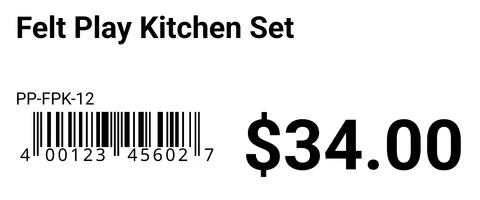
Shelf Label · 3 × 1.25 in · UPC-A
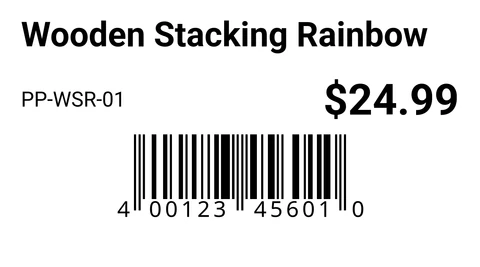
Price Label · 2.25 × 1.25 in · UPC-A
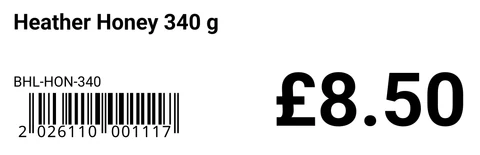
Shelf Label · 90 × 29 mm · EAN-13
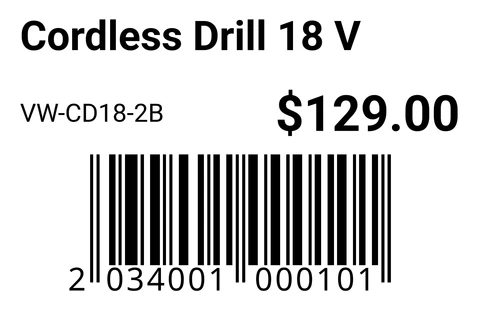
Price Label · 60 × 40 mm · EAN-13


Cloudlabels for retail labels
- EAN-13 and UPCType a full EAN-13 number and Cloudlabels checks the check digit. A wrong digit is rejected, not silently fixed. Leave the check digit out and Cloudlabels calculates it for you. EAN-8 and UPC-E are there for small packs.
- Name, price and code togetherEvery tag is filled from its own row, so a price change in the list is on the next print.
- Promo batchesSelect a set of products and print a run of sale or seasonal tags from the same catalog, without rebuilding the layout.
- Avery and HERMA sheetsPrint on the sheets you already use, or on a label printer roll. Custom sizes are included on Pro and Business.
- Start from any positionOn a partly used sheet, choose Start from position in Generate PDF.
- Eleven barcode types plus QREAN-13, UPC-A, UPC-E, EAN-8, Code 128, GS1-128, ITF-14, Code 39, DataMatrix, GS1 DataMatrix and PDF417, plus QR codes.
- Print quality600 DPI PDF on Pro and Business. The Free plan exports at 300 DPI with a small watermark.
Questions
Still unsure? Contact us
Can I print EAN-13 and UPC barcodes for retail and POS?
Yes. Cloudlabels supports EAN-13, UPC-A, EAN-8 and UPC-E. Type a full EAN-13 number and Cloudlabels checks the check digit. A wrong digit is rejected, not silently fixed. Leave the check digit out and Cloudlabels calculates it for you.
Can I print labels in bulk for a new collection?
Yes. Select many products at once and print a full run from the same layout.
Do you support Avery or HERMA sheet labels?
Yes. Choose a sheet from the list so you can print on the stock you already use. Custom sizes are on Pro and Business.
Do I need to install desktop software?
No. Cloudlabels runs in the browser.
Can I use Cloudlabels if I sell online and in a physical store?
Yes. Keep one product list and print shelf labels, price tags and packing labels from the same rows. Import the list from Excel or CSV.
How many labels can I print?
The Free plan includes 20 items and 200 labels per month, with a small watermark. Pro gives you up to 25,000 items and unlimited labels, and Business up to 250,000 items and up to 10 team members. Pro and Business both start with a 7-day trial, no credit card.
How do I reprint tags when a price changes?
Change the price in the item table or import an updated file, then select those products and print again from the same layout.
What happens when the Pro trial ends?
The trial gives you Pro for 7 days with no credit card. When the trial ends, add a payment method to keep using Pro.
Label the whole store from one catalog
GS1® and EAN are registered trademarks of GS1 AISBL. Avery, HERMA, Excel, Google Sheets, iOS, Windows and other names are trademarks of their respective owners. They are used only to identify standards, products and compatible formats. Cloudlabels is not affiliated with, endorsed by or certified by GS1 or any other company named on this page.